
Post Long Tweets on X: A Step-by-Step Guide
You're halfway through a useful idea on X when the character circle turns red. Out goes the concrete example that proves the point. Or the argument gets hacked into a seven-part thread, and readers vanish after post two. Cutting a strong thought just to fit a tiny box is exhausting when you're trying to build an audience.
Learning how to post long tweets fixes that friction, as long as extra space is not an excuse to ramble. The most reliable way to judge length is to measure each long post against your own historical median rather than a platform-wide word count, and to treat every long post like a compressed article. Advice that chases one universal word count misses what your own posts already show. Apply the steps below on your own account today.
Why Long Tweets Get Cut Off on X
Imagine drafting a sharp breakdown of why your latest product tweak improved retention. You state the claim, add one sentence of context, and start typing the lesson readers can apply today. Right in the middle of that sentence, the 280-character limit cuts you off. Deleting the takeaway turns a helpful post into a vague opinion, while splitting it into a thread forces readers to click through multiple posts just to reach the point.

That tight squeeze goes back to the platform's original 140-character ceiling, which shaped how people wrote on Twitter for more than a decade. Following a public test announced on September 26, 2017, Twitter rolled out a 280-character maximum for most supported languages on November 7, 2017, according to the official X product announcement. That 100% increase in text space was meant to reduce how often writers had to compress arguments or split them across multiple posts.
Language played a huge role in that shift. Before the expansion, roughly 9% of English-language tweets ran into the 140-character wall, whereas writers in Japanese, Chinese, and Korean felt far tighter pressure because their scripts pack more meaning into every character. Once the new ceiling arrived, only about 1% of English-language tweets hit 280 characters. Most everyday posts never need a massive word count.
Quick Check Before You Go Long
Long posts solve a very specific editorial problem. They give you room for a complete claim, brief context, and a clear call to action inside a single unit without forcing readers to chase a thread.
Practical check: Count how many of your last ten posts ended mid-thought or had to be split into a multi-post thread. If only one or two ran out of room, standard short posts are probably still serving you fine.
If half of your recent drafts felt cramped, moving into longer formats will immediately clean up your writing and save your readers from disjointed threads.
Character Limits and Premium Access in 2026
A long post is a compressed article, and like any article it has a hard container. Before changing how you draft, check what your specific X account allows, because the platform separates standard posts from expanded long-form posts by subscription tier. Building a content calendar around a feature your profile doesn't have creates an annoying roadblock on publishing day.
| Format or account | Character limit | What it supports |
|---|---|---|
| Historical tweet limit | 140 characters | Ended with the November 2017 change |
| Standard X post | 280 characters | Text, photos, GIFs and video |
| X Premium long post | Up to 25,000 characters | Text, photos, GIFs and video |
| Free or non-Premium account | 280 characters | Standard posts only, no long-post feature |
According to the X Help Center guide to types of posts, a standard post caps at 280 characters, while X Premium supports longer posts of up to 25,000 characters. Those expanded posts still accept text, photos, GIFs, and video in the same slot, which lets you publish a complete argument, an article excerpt, or a serialized essay without chopping every point into tiny pieces.
The gap between those two tiers is enormous. A free account gives you roughly two sentences of breathing room, while a paid plan gives you more space than most blog articles ever use.
Because the X Premium documentation ties longer posts to eligible paid subscription plans rather than every profile, verify your account status before promising readers full-length breakdowns on X.
Three Pre-Flight Checks Before You Draft
Running a quick technical check takes five minutes and prevents awkward formatting surprises once you hit publish.
- Confirm your plan inside account settings: Check that your active subscription explicitly includes longer posts before batching a week of expanded drafts.
- Test the preview cut-off on desktop and mobile: Publish or preview a draft long post on both a laptop browser and your phone so you can see exactly where X inserts the truncation fold above your opening lines.
- Verify how visuals sit with long text: Attach your planned photo, GIF, or video inside the draft early to confirm the media doesn't push your opening hook out of view on smaller screens.
Keep one constraint in mind even with Premium enabled. Seeing 25,000 characters on the spec sheet can tempt writers to pour entire chapters into a single post, yet that ceiling is a maximum, not a goal. Treat the limit the way a careful editor treats a word budget: the right length is the one your argument needs, measured against what has worked on your own account, not the biggest number X allows. Most readable long posts stay far below the ceiling because phone readers abandon walls of text quickly.
If your idea fits cleanly inside 280 characters with one sharp example, leave it short. Switch to a long post only when the point genuinely requires a full claim, supporting proof, and a single next step.
How to Write a Long Post in Six Steps
Stretching a short opinion by adding fluff is the fastest way to lose readers. A better approach is the compressed article workflow, outlined in an observational analysis of 398,882 posts from 11,206 active X accounts, where every paragraph earns its spot. If you want to see how crisp structure looks in the wild before starting your draft, examining a sample Twitter post gives you a concrete visual model for pacing and hooks.
Here's the exact six-step sequence I use to turn a rough idea into a tight long post.
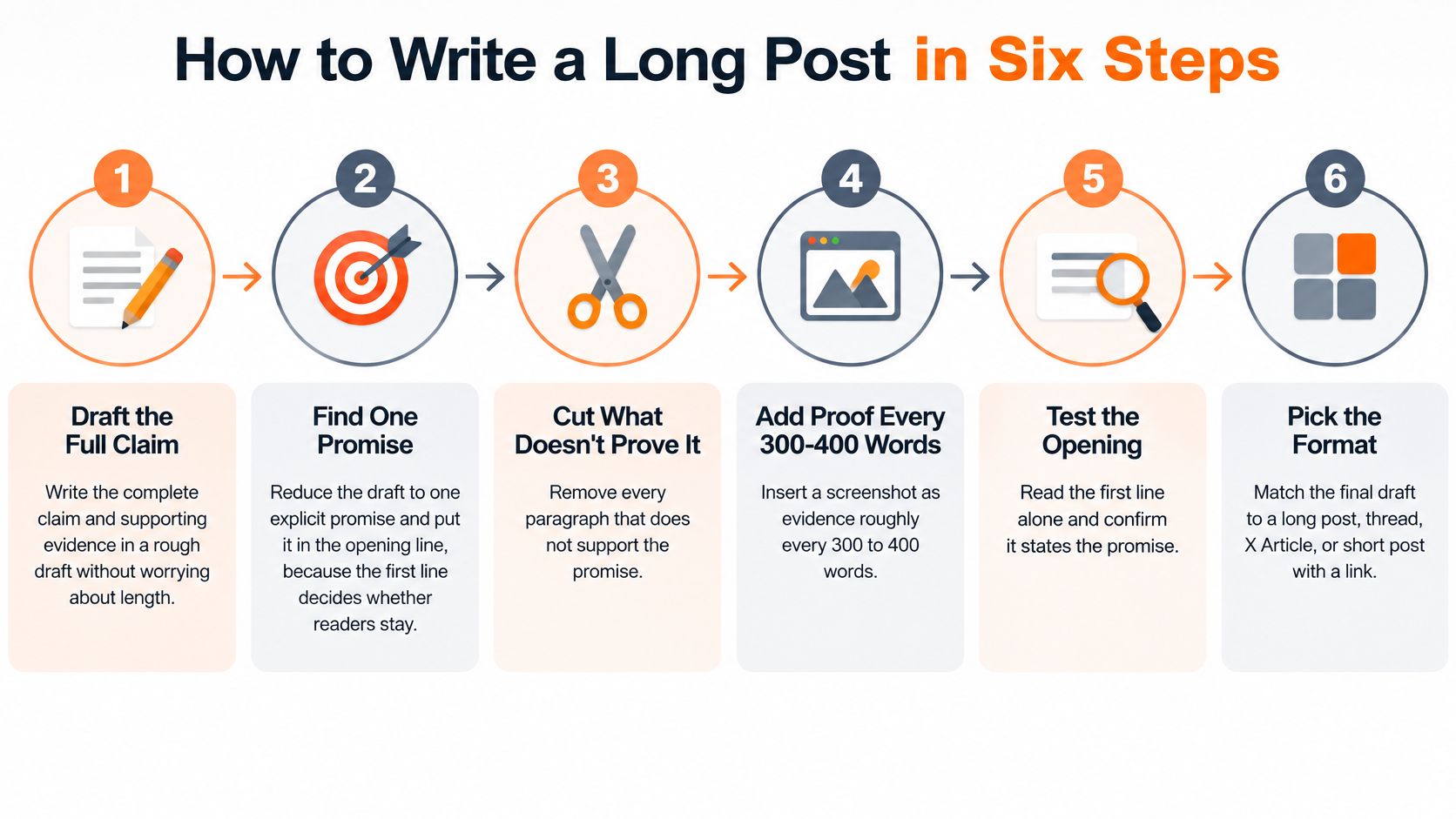
- Write the complete claim and supporting evidence in one rough draft. Ignore the character count while getting the argument out of your head. Self-editing too early strips away the specific examples that make readers trust you.
- Compress your thesis into one explicit promise in the opening line. Preview readers only see the top of your post before deciding whether to tap further, so burying your main point in paragraph three loses the audience right at the door.
- Place your most decision-relevant fact or example in the first third. Waiting until the end to deliver real value feels like clickbait; rewarding readers early gives them a reason to finish scrolling.
- Format strictly for phone scanability. Use short two-to-three-sentence paragraphs, labeled transitions like "Why this matters" or "What to do next", and one clear call to action at the close. Unbroken text blocks look intimidating on mobile and kill completion rates.
- Cut repeated context and unsupported claims. Read the draft aloud and delete any sentence that merely restates the previous one. Padding signals low effort, and readers leave the moment they sense filler.
- Benchmark the published result against your own historical median. Compare the post's views, replies, and link clicks against your own recent baseline rather than chasing a mythical ideal character count.
Watch Out for the High-View Trap
One mistake trips up even experienced writers who post long tweets regularly: celebrating high views when the post didn't produce a single meaningful action. A broad rant can rack up impressions while generating zero subscribers or sales.
Track the full funnel instead: impressions to profile visits, then link clicks, then follows or subscriptions. When you adapt that same core idea and evidence for another platform later, resist copy-pasting the whole post verbatim. Keep the underlying proof, but adjust the opening hook, paragraph rhythm, and call to action so each destination feels native to its readers.
Choosing Between a Long Post, Thread and Article
Not every meaty idea belongs in a single long post. Picking the wrong container forces readers to work harder than they should, which drags down completion rates even when your writing is solid.
| Format | Best for | Length | Reader effort |
|---|---|---|---|
| Single long post | One complete argument or story | Up to 25,000 characters on Premium | One scroll, no tapping |
| Thread | Numbered steps or lessons | Several posts, each under 280 characters | Must follow the sequence |
| X Article | Reference material or a guide | Extended multi-section piece | Opens a dedicated reading view |
| Short post with link | Sending readers to a fuller piece | Under 280 characters plus a link | One click to leave the feed |
Seeing the four formats side by side makes the choice much simpler when you're staring at a blank composer.
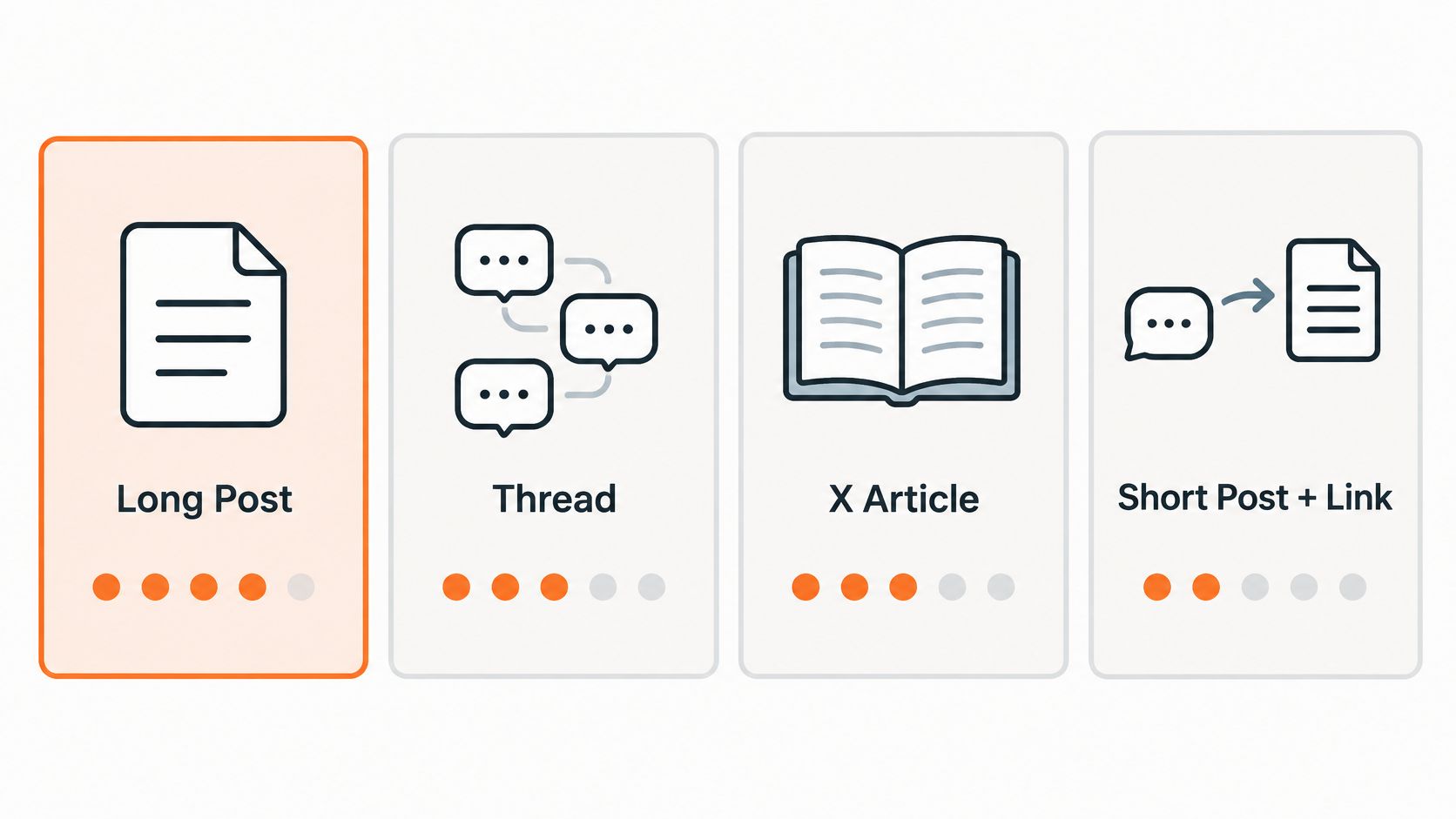
A single long post fits best when you have one cohesive argument or a narrative case study that loses punch if interrupted. Say you're explaining why your newsletter onboarding sequence doubled reply rates: keeping the context, change, and result in one smooth scroll lets readers absorb the whole story without tapping through replies.
A thread works better for discrete, numbered takeaways or a step-by-step teardown. The catch is that each individual post in a thread needs to make sense on its own, because people often quote or repost item four without reading item one.
An X Article earns its place for reference-grade guides, structured tutorials, or essays that benefit from subheadings and clean formatting. Meanwhile, a short post with a link remains the right tool when your primary goal is sending readers off X to a deeper essay or signup page you control, a core habit when writing on Twitter to grow an owned list.
Adapting One Idea Across Formats
You don't need to invent brand-new topics to test different containers. Converting a long post into a thread means splitting the draft at natural claim boundaries and giving each part its own crisp opening hook. Moving in the other direction, from a thread to a long post, means merging the numbered points and trimming out the repetitive transition lines so the prose flows continuously.
This short walkthrough breaks down how different post formats behave in practice so you can pick the cleanest fit before drafting.
If you're stuck choosing, use a simple default: write one single long post first. Break it into a thread only when the material naturally divides into distinct steps that readers need to follow one by one.
How Post Length Changes Views and Replies
Length changes what a post can accomplish before it changes how people respond. A long post works best as a compressed article: one clear claim, enough supporting detail to make the claim useful, and a close that gives readers a reason to respond. Padding a weak idea with extra paragraphs will not produce the same effect.
| Length band | Views vs. 51-140 character posts | Caveat |
|---|---|---|
| 50 characters or fewer | Tends to earn fewer views | May lack enough substance to hold attention |
| 51-140 characters | Baseline | Reference point for comparison |
| 281-1,000 characters | Tends to earn more views | Added detail must earn its place |
| Above 1,000 characters | Tends to earn the most views | Watch scanability on mobile |
These length bands describe broad patterns, and they do not isolate account size, posting time, topic strength, or the author's existing audience. Use them to form expectations rather than to set a universal target. Your better reference point is the historical median performance of your own posts at comparable lengths.
Early engagement data showed a similar advantage after X doubled its standard limit. In a one-week SocialFlow analysis covering November 29 through December 6, 2017, reported in Inverse's review of the 280-character study, tweets longer than 140 characters averaged 26.52 retweets compared with 13.71 retweets for shorter posts, roughly 1.93 times as many. The longer group also averaged 50.28 likes against 29.96 likes, about 1.68 times as many.
Those figures do not mean every post should cross 280 characters. A longer format gives you room to include context, evidence, examples, and a sharper conclusion. Readers reward that added information when it helps them understand or use the idea. They have little reason to reward repetition.
Why Length Alone Doesn't Cause Engagement
Impressions, replies, and reposts measure different kinds of reader behavior. A long post can attract views because it contains enough substance to pause the scroll. Replies depend on something narrower: whether the reader sees a clear opening to agree, object, add experience, or answer a question.
This distinction matters when evaluating performance. If a long post gains impressions while replies stay flat, the problem may be the prompt rather than the length. If shorter posts consistently produce stronger conversations, your audience may prefer compact observations over compressed articles.
Reality check: High views don't automatically convert into subscribers or buyers. Judge your long posts by the replies, profile visits, link clicks, and follows they generate.
If your longer posts earn views without starting conversations, tightening your opening prompt and closing question can strengthen your Twitter tweet engagement far more reliably than adding extra characters.
Testing Length Against Your Own Baseline
Treat a long post as a compressed article: every added sentence should earn its place. Your readers' response matters more than a platform-wide average or a universal word count.
A study published on arXiv used a within-author, matched observational design to examine Twitter's expanded character limit. Although longer posts won on raw averages, constrained posts were 6.0% more likely to receive at least one retweet when authors and topics were matched, according to the study on arXiv. That observational result supports testing length within your own account, rather than assuming extra space improves every idea.
Four Steps to Run a Blocked Length Test
Run a blocked A/B test across several weeks, grouping posts by comparable themes so differences in subject matter are less likely to determine the winner.
- Draft comparable ideas across three length bands. Use short, medium, and long posts from the same account. Give each a clear point and comparable editorial effort. The long version should add useful explanation, rather than padding an idea to fill space.
- Randomize posting times and exclude outliers. Rotate length bands across posting times so one format does not always get the strongest slot. Decide how you will handle reposts and unusual viral spikes before comparing results. Keep exclusions consistent rather than removing inconvenient outcomes.
- Log normalized metrics in a simple tracking sheet. Record character count, opening line, impressions, likes, replies, reposts, link clicks, and whether each post earned a repost. Compare engagement relative to impressions alongside raw totals. Reviewing your Twitter analytics account weekly keeps the tracking manageable.
- Compare medians and distribution instead of averages. Check the typical result and how widely results vary within each band. A breakout hit can lift an average without making that length dependable.
Pitfalls That Skew Your Results
Keep the comparison honest.
- Survivorship bias: Include quiet posts as well as memorable successes. Remembering only the long posts that performed well makes length look more reliable than it is.
- Confusing correlation with causation: A timely industry breakdown may succeed because readers care about the news. Its length alone does not explain the response.
- Letting topic quality dominate: A researched tutorial and an undeveloped observation test different levels of usefulness, even if their lengths differ.
Keep the variant that consistently beats your own historical median on the outcome you care about. If longer posts do not improve that outcome, tighten the argument before adding more detail.
Set Up Your Long Post Routine on X
Knowing how to write and test long posts only pays off when you turn it into a calm weekly habit. Pick one strong idea each week, shape it into a compressed article with the six steps, choose the format that matches the material, and schedule it when your own data shows readers are active. Your first move is straightforward: draft one long post this week and compare its views, replies, and link clicks against the median of your last ten posts.
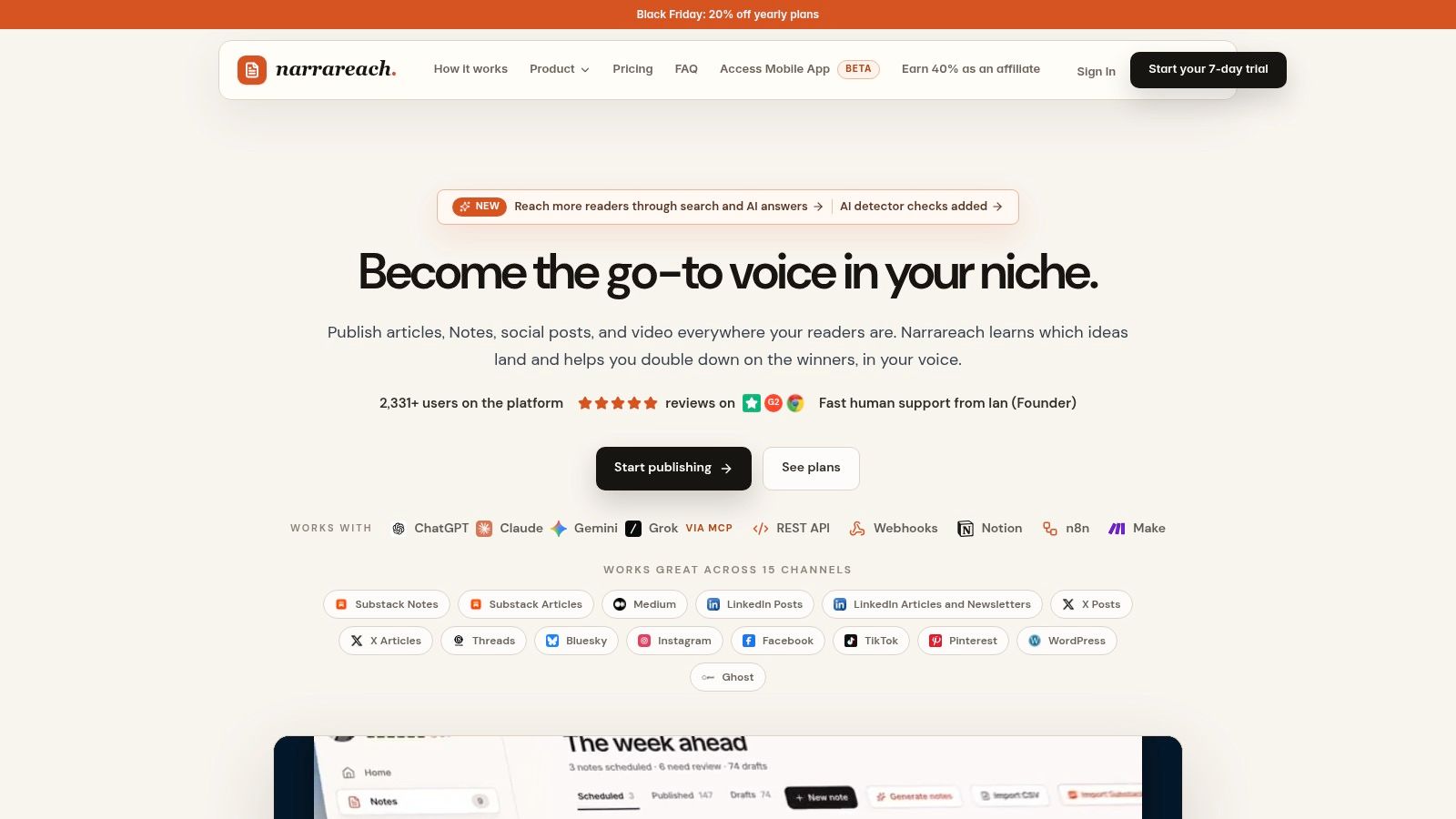
Once that weekly rhythm clicks, the biggest time sink isn't writing on X. It's rewriting and manually copying the same idea everywhere else you publish. Substack already gives creators a solid batching foundation, since the Substack Notes scheduling update supports scheduled publishing on web, iOS, and Android while keeping drafts editable in Notes Drafts until they go live.
Narrareach connects that whole workflow so you can grow faster across platforms without starting over. Ideas can be sent to X, Bluesky, Threads, Instagram, Facebook Pages, TikTok, and Pinterest from one draft. You draft inside Narrareach and schedule the Substack post, then publish the article to Medium, LinkedIn, X Articles, WordPress, and Ghost at the same time. Narrareach also automatically recirculates approved articles, Notes, and social posts on the schedule you choose. One Substack writer went from 2 posts a week to 7 by scheduling an entire week of Notes in 15 minutes, showing how much easier audience growth becomes when publishing runs on a steady schedule.
Combining a disciplined workflow to schedule posts on Twitter with a practical guide to launching on X from ShipTeaser gives newsletter writers and builders a reliable playbook for turning long posts into real reader momentum.
Choose Your Next Step
Ready to turn your long posts, X Articles, and Substack Notes into one repeatable distribution system? Start free with Narrareach, no credit card required, and schedule your first long post from one dashboard.
Prefer to run your first few length tests manually before adding a tool? Stay connected and follow along on our blog for our next round of length experiments and baseline test results.
Whichever path you pick today, let your own baseline numbers, not a platform average, decide how long your next post should be.
Narrareach gives independent writers and newsletter operators one workspace to draft once, schedule Substack posts and Notes alongside long X posts, and cross-publish to Medium, LinkedIn, and X Articles in your own voice. Start free with no credit card required to test what resonates, automate recirculation, and grow your audience faster at Narrareach.