
How to Schedule Content on Instagram the Smart Way
It's 10:47 p.m. and you're rewriting a caption for the third time because someone online swore this is the peak hour. The graphic is ready, the idea is good, but you didn't plan hashtags, alt text, or tomorrow's post. You publish late, stay up answering the first comments, and wake up already behind. That's not a consistency problem. It's a system problem, and learning how to schedule content on Instagram won't fix it if scheduling only means moving the same scramble to a different day.
The Real Cost of Posting Instagram in Real Time
I posted in real time for months because I assumed live publishing felt more authentic. In practice, it meant every post required five jobs at once. I drafted the caption, designed the visual, searched hashtags, checked the crop, and tried to be present for replies, all in one tired afternoon.
Miss your planned slot by half an hour and the guilt starts. You blame timing for a weak post even when the issue was a rushed hook or a vague call to action. Then you chase the next day harder, which makes the work sloppier.
The burnout loop I kept repeating
The pattern was predictable. A strong newsletter idea would sit unused because turning it into Instagram content felt like starting over. A weak idea would get posted because it was ready. My calendar rewarded availability, not quality.
- Caption panic: Writing copy at publish time left no room to test a sharper opening line.
- Asset scramble: Media, covers, and alt text lived in different folders, so every post started with searching.
- Engagement debt: Publishing late meant I was too tired to reply well, even though conversation was the point.
- No learning loop: I rarely compared saves, shares, or profile visits because I was already making the next post.
Practical rule: If creating, publishing, and engaging all happen in the same hour, one of them will be done badly.
Scheduling changed the order of work, not just the publish time. Instagram's native scheduling became broadly available to professional accounts in November 2022, letting Business and Creator accounts schedule feed photos, carousels, and Reels up to 75 days in advance, according to Social Media Today's report on Instagram's in-app scheduling rollout. That window matters because it lets you sequence a launch or weekly series without being online at the exact moment of publication.
But a queue can also hide a problem. Recent creator discussion notes that scheduled posts and Reels don't remove the live work around Stories, polls, DMs, and fast-moving context, a gap explored in this Reddit discussion about scheduled posts and reach. I learned to separate evergreen distribution from live participation. Schedule the core asset early, then protect time after it publishes for comments and conversation.
What You Need Before You Schedule Anything
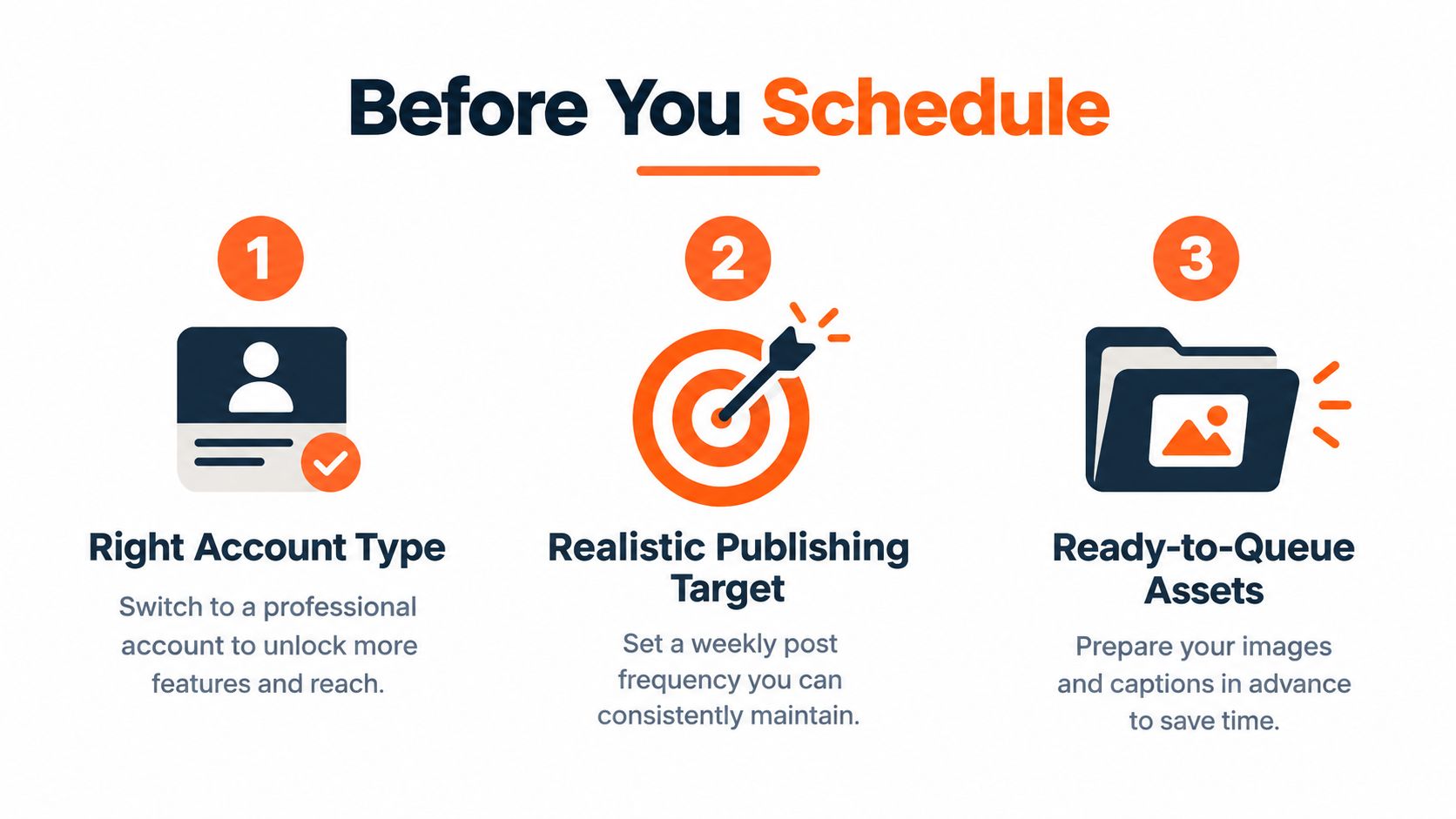
Don't open a scheduler until your account, cadence, and assets are ready. I wasted early sessions discovering permission problems after I'd already written captions. A ten minute setup check prevents that specific frustration.
Start with account type. Native scheduling was introduced for Business and Creator accounts, not ordinary personal profiles, so confirm you're using a professional account before you build a workflow around it. If you're still on a personal profile, follow the steps for switching to an Instagram business account first, then reconnect any third-party tool you plan to use.
Pick a target you can sustain
Daily posting sounds ambitious until week three. A Buffer analysis of more than 2.1 million posts from approximately 102,000 accounts found average follower growth of 0.12% for accounts posting 1 to 2 times weekly compared with 0.26% for accounts posting 3 to 5 times weekly, as reported in Buffer's Instagram posting frequency analysis. The same analysis found higher growth at heavier volumes, but identified 3 to 5 posts as a sustainable balance.
That became my planning range. I chose two or three recurring themes, such as a practical lesson, a behind the scenes decision, and a repurposed article insight. Themes stop every batching session from starting with a blank page.
Build a ready to queue folder
For each post, prepare the final media file, caption, cover image, alt text, hashtags, destination profile, and planned local time slot. Name files by date and theme so you aren't guessing which version is final. Keep approval status visible if anyone else reviews your work.
- Media ready: Export the final image, carousel, or video, not a draft you'll replace later.
- Copy ready: Write the hook, caption, call to action, and alt text in one document.
- Slot ready: Assign a date, time, owner, and fallback action if publishing fails.
Native App vs Meta Business Suite vs Third-Party Tools
I tested all three paths because each one failed me in a different week. The native app was fastest for a single post. Meta Business Suite was easier on desktop. Third-party tools helped when I needed a visual calendar, approvals, or several destinations planned together.
The native workflow is simple. Prepare the post, open Advanced Settings, turn on Schedule this post, then choose the date and time. Its strength is fidelity. You're scheduling inside Instagram, so you're less likely to be surprised by how the finished post looks.
Its weakness is planning depth. You don't get the same visual overview, team approval flow, or cross-platform context you'd expect from a dedicated planner. For a solo creator with one account, that trade-off may be fine. For client work, it gets thin quickly.
| Tool | Account type | Formats | Queue length | Visual planner | Cost |
|---|---|---|---|---|---|
| Instagram app | Professional | Photos, carousels, Reels | 75 days | No | Free |
| Meta Business Suite | Professional linked to Facebook | Instagram and Facebook content | Planned in calendar | Basic calendar | Free |
| Third-party tools | Professional via API | Varies by tool | Varies by tool | Usually yes | Paid plans common |
Meta Business Suite suits creators who already manage a Facebook Page beside Instagram. You gain a desktop calendar and cross-platform planning, but previews and format handling can feel less direct than working in the app. It's a practical middle ground, not a complete editorial system.
Third-party platforms such as Later, Buffer, and Hootsuite add visual planning, bulk workflows, analytics, and approvals. They also add cost and another connection that can break. If account management itself is becoming messy, this guide for marketers managing Instagram accounts is useful context before you add more software.
Choose the simplest tool that supports your actual approval and planning needs. Paying more doesn't create better ideas.
The deciding question isn't which scheduler has the longest feature list. It's whether you need one account or many, solo publishing or approvals, and Instagram alone or a wider distribution workflow. Start native if you're validating cadence. Move when planning, collaboration, or cross-posting becomes the bottleneck.
Your Weekly Batching Workflow That Actually Sticks
My workable routine takes one focused planning block, not five daily interruptions. I batch because context switching was costing more energy than writing the posts. If you're new to the concept, this explanation of content batching covers the basic logic behind grouping similar work.
I start by auditing the previous week. I look at reach, saves, shares, profile visits, and follows, then note which theme or format earned a repeat. Likes alone don't decide the next calendar.
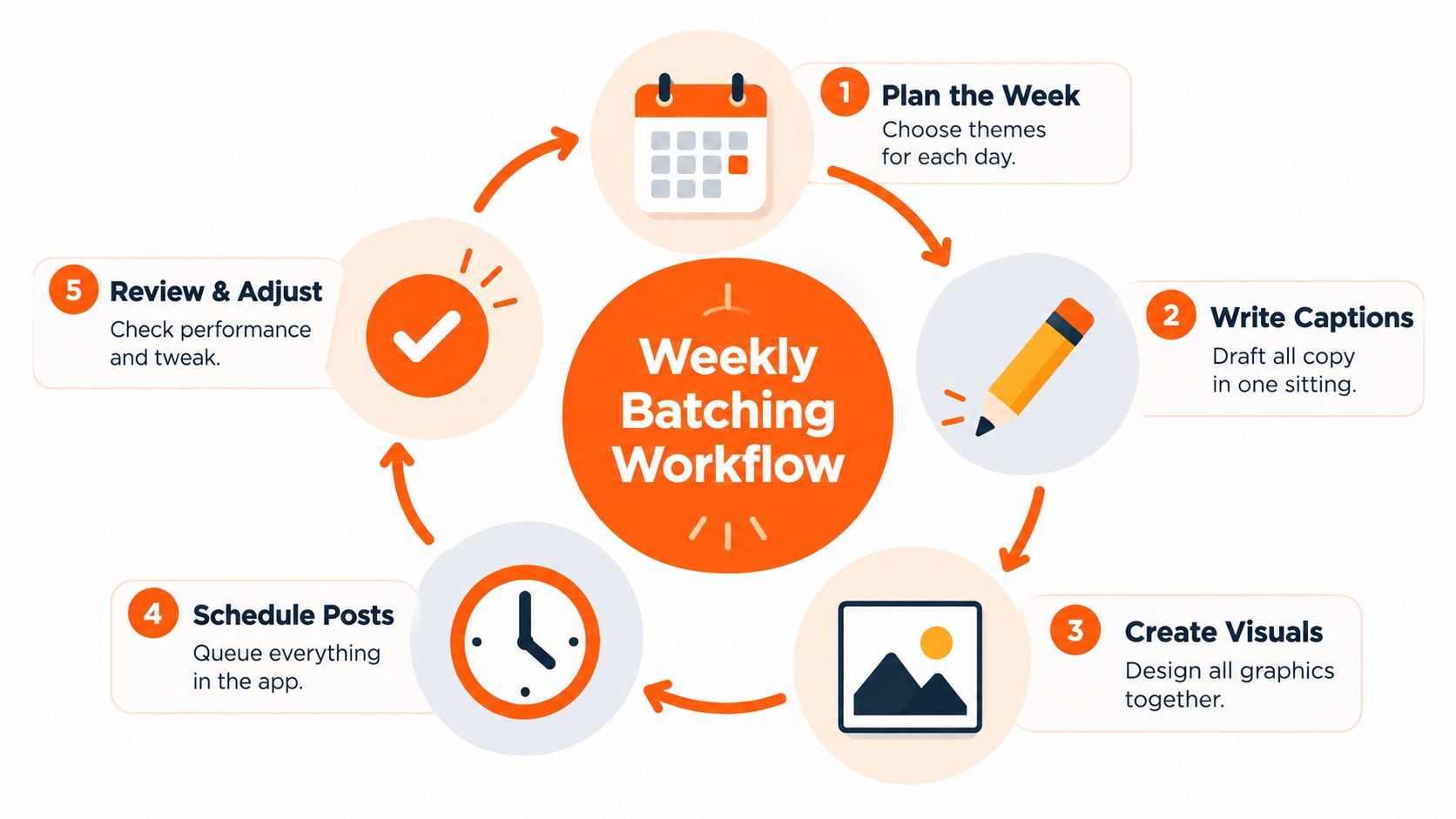
The five part weekly routine
- Audit first: Record the strongest and weakest posts by saves, shares, and profile activity.
- Choose themes: Pick two or three topics connected to your current article, offer, or series.
- Draft variations: Write captions in one sitting so hooks and calls to action don't repeat accidentally.
- Create media together: Produce carousels, Reels, and static visuals in one production block.
- Schedule selectively: Queue the strongest formats first and reserve a small share of slots for timely ideas.
That last reserve matters. A completely locked calendar leaves no room for a reader question, a relevant trend, or a better idea that appears midweek. Scheduling should create stability, not make you rigid.
The workflow below shows the scheduling mechanics in action before you adapt them to your own calendar.
Meta's Instagram API supports single images, videos, Reels, and carousels for professional accounts, and Meta reports an API publishing increase from 25 to 50 daily media posts per account across supported types in its Instagram Platform developer documentation. Treat that as a technical ceiling, not a target. Your audience doesn't need you to test the limit.
Use a calendar with owners, approval status, campaign tags, and a fallback for rejected posts. After several weeks, shift slots toward content that drives profile visits, link clicks, or subscriptions. That's the difference between a full queue and a useful one.
Finding the Best Posting Times Without Guessing
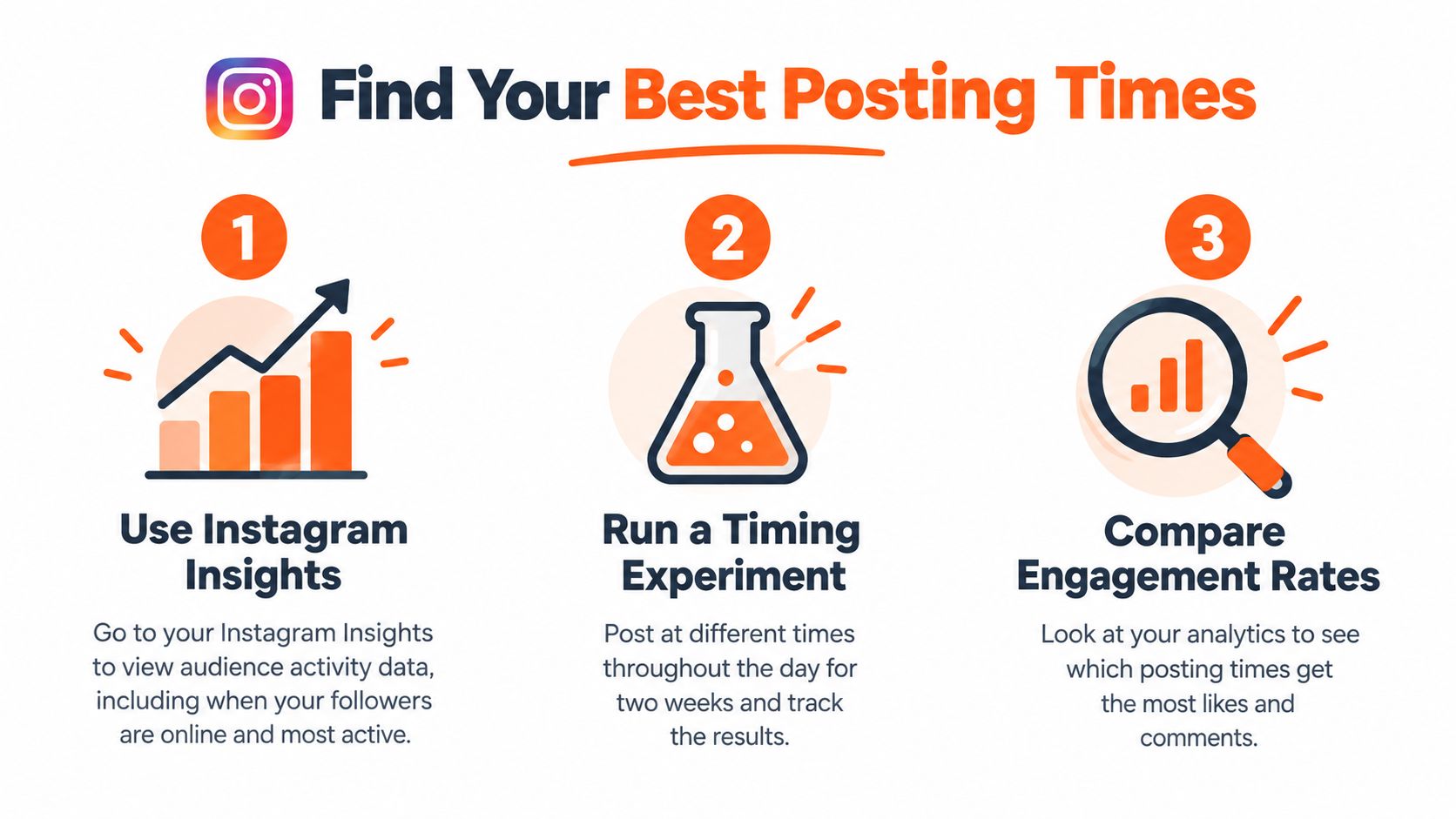
I stopped trusting generic best time charts after my audience kept proving them incomplete. A chart can't know your readers' time zones, work patterns, or whether they save carousels on weekends. Use benchmarks to choose a hypothesis, then let your own Insights make the decision.
Buffer's benchmark analysis of more than 2 million Instagram posts reported a median engagement rate of 4.3% and a median frequency of 17 posts per month, with Reels identified as the strongest format for reach, according to Buffer's social media benchmarks. That doesn't make 4.3% your target. Audience size and benchmark definitions vary too much for that.
Run a clean two window test
Open Instagram Insights and note when followers are active by day and hour. Pick two plausible windows, then keep format, topic, and call to action reasonably comparable while you change only the time. If you test a Reel at one time and a carousel at another, you won't know what caused the difference.
For a deeper starting point, see this guide to choosing when to post on Instagram. Then build your test around business outcomes, not applause.
- At 2 hours: Check early reach, comments, and any publishing or audio problems.
- At 24 hours: Compare saves, shares, profile visits, and link taps.
- At 72 hours: Record follows, subscriptions, leads, or purchases connected to the post.
Other timing research also warns against universal rules. One dataset of 503,175 posts from 41,068 creators reported stronger weekend evening performance for creator accounts, especially Reels, as summarized in IQfluence's Instagram posting time research. Your audience may behave differently, which is exactly why the test matters.
Normalize results where you can, such as reach per 1,000 followers or subscribers per post. Recheck after your audience geography or main format changes. A schedule that worked for static posts may be wrong for Reels.
Turning One Article Into a Week of Instagram Content
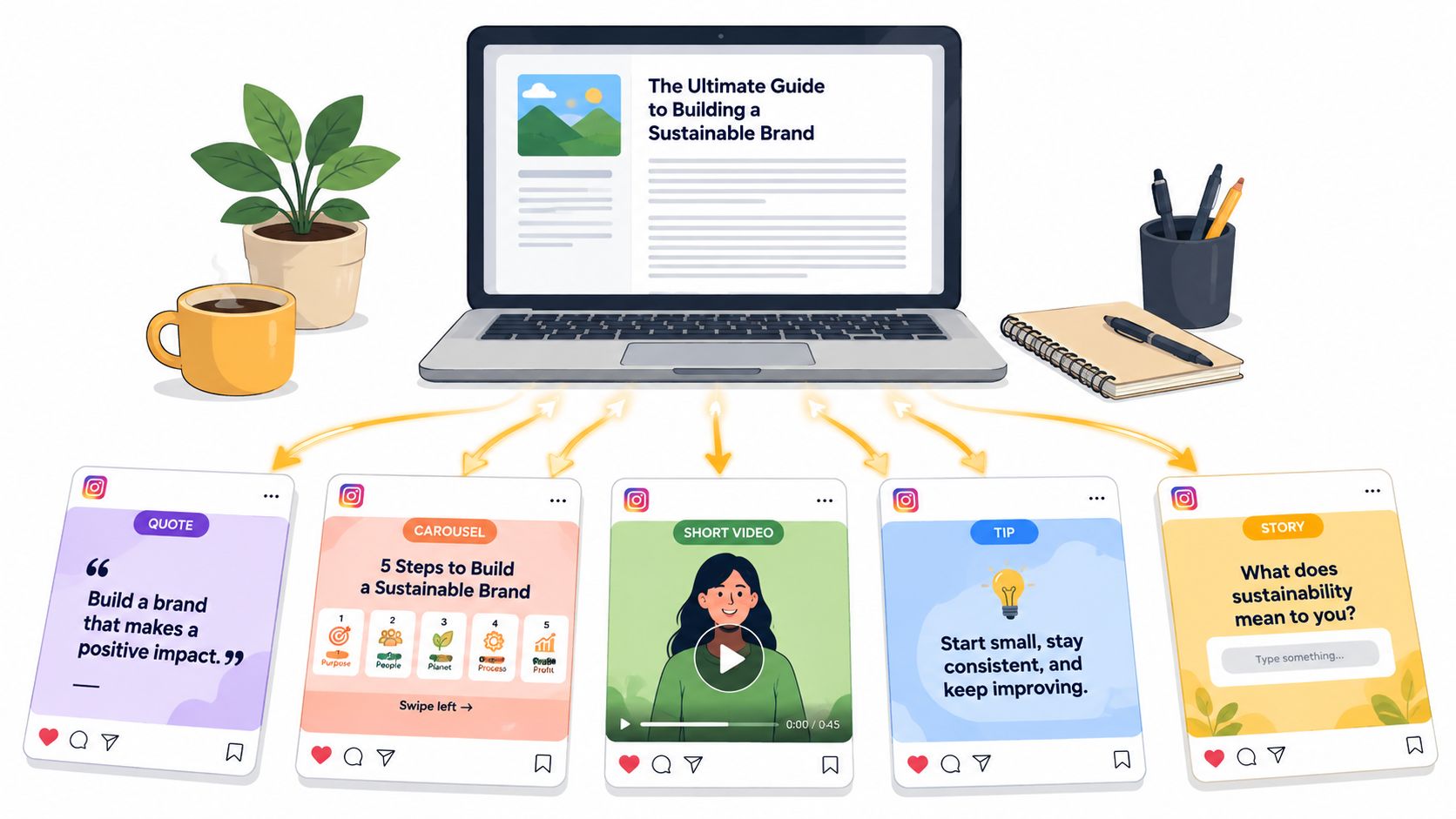
The biggest shift in my experiment came when I stopped inventing separate Instagram ideas. One strong newsletter article became the source for the week. I wasn't copying paragraphs into captions. I was extracting the claims, examples, and questions that could stand alone.
Start by marking three to five quotable insights in the article. Turn the clearest one into a static post, the most instructional section into a carousel, and the strongest opinion into a short Reel script. Save one unresolved question for Stories so readers can respond instead of only consume.
Adapt the call to action by format
Don't paste link in bio under everything. A carousel can ask readers to save the framework. A Reel can invite a comment with their experience. A Story sequence can use a poll before pointing to the full article. Each format should have one job.
The same sequencing logic applies outside publishing. Event teams use repurposing to extend one asset across channels and maximize your event's impact instead of treating the live moment as the only distribution opportunity. Writers can apply that thinking to an article launch.
Substack fits neatly into this rhythm. Its native Notes scheduler lets you choose an exact publication time, edit scheduled Notes in Drafts until publication, and work in your local time zone, as described in Substack's announcement of Notes scheduling. I use Notes as short teasers, then adapt the best angle for Instagram rather than duplicating the same text.
Narrareach fits as one option for writers managing that wider flow. It lets you connect an Instagram Professional account, create Instagram images or five slide carousels from articles, review captions, upload your own media, and schedule posts from a unified queue alongside Substack Notes and other channels. That matters when the goal is growing subscribers, not just filling Instagram.
For the manual version, follow this workflow for repurposing content for social media and schedule assets so they build across the week. Tease the problem first, teach the framework second, share proof or a question third, then invite readers to the full piece.
The 90-Day System and What to Do Next
Scheduling didn't grow my audience by itself. It gave me back the time to write better source material, reply properly, and notice which ideas deserved more distribution. If you queue a month of posts and disappear, you've automated publishing while abandoning the relationship around it.
I now think in three 30 day blocks. The first block builds the folder, themes, and batching habit. The second tests format and timing. The third locks in the cadence that produces qualified outcomes, using a deliberate Instagram content strategy instead of random daily invention.
What still needs a live window
- First comments: Reply while the conversation is forming and pin a useful clarification when needed.
- DMs and Story reactions: Treat responses as research for future posts, not inbox clutter.
- Context checks: Pause or edit scheduled content when news, audio availability, or reader feedback changes the meaning.
- Weekly review: Move winning angles into Notes, LinkedIn posts, or a follow up article while interest is warm.
A scheduled post is the start of distribution, not evidence that distribution worked.
Measure the system over rolling four week periods. Are you publishing consistently without late night scrambles? Are saves, shares, profile visits, and subscriptions improving? Are strong Instagram ideas feeding your newsletter, and are strong newsletter ideas returning as better Instagram posts?
Another Buffer analysis reviewed approximately 2.1 million feed posts from 102,000 accounts and associated 3 to 5 posts per week with roughly 12% higher reach per post relative to its baseline, via this summary of Buffer's posting frequency findings. Use that as a measurable starting cadence, not a promise. Your next step is either to build this manually for the next 30 days, or use a unified scheduling workflow if cross-platform repurposing is already your bottleneck.
If you're ready to grow faster, try Narrareach to turn one article into scheduled Substack Notes, Instagram posts, LinkedIn content, and X posts from one queue, with analytics that show what drives subscribers. If you're not ready to switch tools, stay connected for weekly distribution playbooks and build the manual batching system above first.